
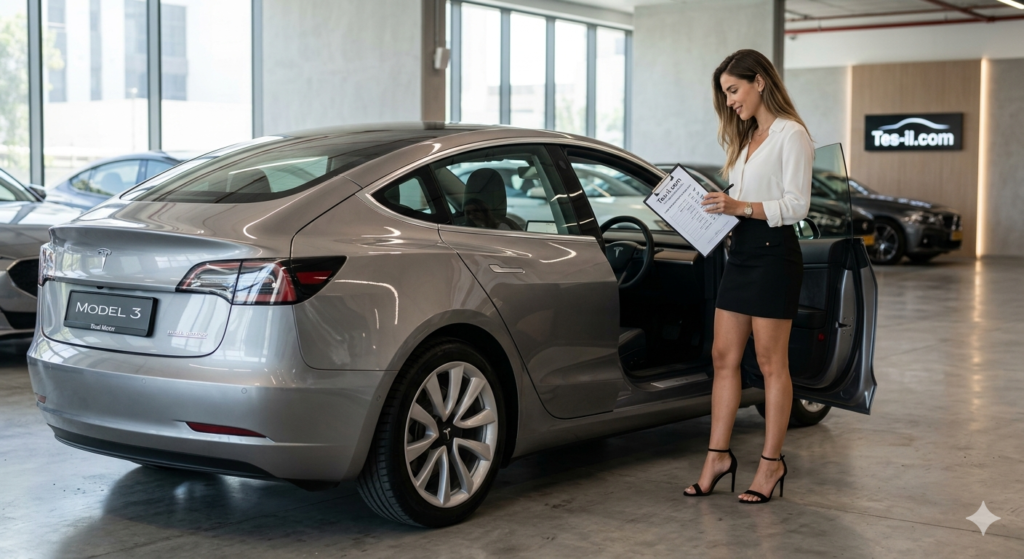
A used Tesla can look perfect in photos while hiding battery degradation, accident damage or expensive electrical faults. The good news is that most of the important checks are straightforward. Take your time, inspect the car in daylight and never let a seller rush you into paying.
Save this checklist for inspection day
Five battery checks, 17 inspection points, software verification and a post-purchase essentials list.
Battery checks: the most important part
The battery is the heart of an EV and one of its most expensive components. Battery condition affects range, charging speed and long-term value, so it deserves more attention than a few minutes looking at the paintwork.
Battery check 1: State of Health (SOH)
For the most useful independent reading, use a Tesla-compatible diagnostic app and OBD adapter, or pay a specialist EV technician to carry out the test. Check the battery's State of Health, but remember that readings can vary slightly by software version, temperature and battery type.
- Above 90%: generally very good for a used car.
- 85–90%: normal wear on many older vehicles.
- Below 85%: investigate carefully and negotiate accordingly.
- Below 80%: a major warning sign unless the price reflects the risk and an expert has confirmed the battery is otherwise healthy.
Do not rely on a seller's screenshot alone. Ask when the test was performed and, if possible, verify the result yourself.
Battery check 2: displayed range
Ask the seller to charge the car fully before you arrive. Compare the displayed rated range with the original figure for that exact model year, trim and wheel size. Tesla range estimates differ between markets and test standards, and larger wheels can reduce the displayed figure.
A noticeably low reading—particularly one more than roughly 15–20% below the original rated range—deserves further investigation. It does not prove the battery is failing: cold weather, recent driving, calibration and the car's selected range display can all affect it.
Battery check 3: charging history
Ask how the car was normally charged. Regular home or workplace AC charging is generally easier on the battery than frequent high-power DC charging. Repeatedly charging to 100% and leaving the car full for long periods is also less desirable, especially for battery types that Tesla recommends keeping below full charge for daily use.
For most daily driving, a moderate charge limit is sensible. The correct limit depends on the battery chemistry and Tesla's recommendation shown in the car, so follow the vehicle's own guidance rather than assuming one number fits every model.
Battery check 4: charge cycles
Some diagnostic tools show estimated energy throughput or cycle count. Treat this as supporting information, not a pass-or-fail test. A cycle is based on total energy used, not simply the number of times the cable was plugged in. High mileage, repeated towing, hard driving and frequent rapid charging may all indicate heavier use, but the battery's measured health matters more than a single cycle figure.
Battery check 5: a live charging test
If practical, test the car at a Tesla Supercharger or another suitable high-power DC charger. Arrive with the battery warmed and at a sensible state of charge, because charging speed falls sharply when the battery is cold or nearly full. The maximum rate varies widely by model, battery pack, temperature and charger.
The important question is whether the car charges normally for its configuration. A vehicle that remains unusually slow after preconditioning and at a low state of charge needs professional diagnosis. Do not reject a car simply because it does not reach a headline peak figure.
Exterior and mechanical inspection
6. Accident and repair history
Obtain a reputable vehicle-history report and ask to see invoices, inspection records and photographs of any repaired damage. A minor cosmetic repair is not automatically a problem, but poorly repaired structural or water damage can create long-term electrical issues. If anything is unclear, arrange an independent inspection before buying.
7. Panel gaps and paint
Inspect the car in daylight. Run your fingers along panel gaps and compare both sides of the vehicle. Uneven gaps, mismatched paint, overspray, waviness or bolts with disturbed paint can indicate previous repairs. Check underneath the bumpers and around the charging port as well.
8. Tyres
Check tread depth, age and wear across the full width of every tyre. Uneven inner-edge wear is worth taking seriously on Teslas and may point to alignment, suspension or wheel issues. Confirm that all four tyres are appropriate for the car and that there are no sidewall bulges or repairs.
9. Brakes
Regenerative braking means Tesla friction brakes may be used less often, so they can corrode even when the pads have plenty of material left. Test for grinding, vibration, pulling or a soft pedal. Look through the wheels for heavily rusted discs and arrange a proper brake inspection if anything feels abnormal.
10. Wheels
Inspect every wheel for kerb damage, cracks and bends. Tesla wheels can be vulnerable to pothole impacts, and a damaged wheel may cause vibration or a slow tyre leak. Check that the tyre-pressure readings are sensible and that no warning lights are present.
11. Glass and seals
Look closely for chips and cracks in the windscreen, roof glass and side windows. Test every window and inspect door, boot and glass seals for gaps, dampness or wind noise. A small chip may be repairable, while a crack can affect the cost of insurance and replacement.
12. Cameras and driver-assistance hardware
Test all exterior cameras through the vehicle's camera and Autopilot menus. Check for a clear image, condensation, error messages or a camera that intermittently goes offline. Also test parking sensors if fitted, the reversing camera and any other driver-assistance features included with that particular car.
Interior inspection
13. Seats and trim
Inspect the driver's seat bolster, steering wheel, armrests and door cards for wear. White interiors need particular attention for stains, dye transfer and discolouration. Check that every electric seat adjustment, heater and memory function works, and look for damp carpets or signs of water ingress.
14. Centre display
Check the screen for scratches, dead pixels, bright spots and uneven backlighting. It should respond promptly to taps and menus should load without repeated crashes. Test the touchscreen, steering-wheel controls, Bluetooth, navigation and climate controls. A slow or unreliable display may indicate more than a cosmetic issue.
15. Audio system
Play audio quietly and then at a higher volume. Test each speaker separately, including the subwoofer if fitted. Listen for buzzing, distortion or a speaker that cuts out. Also confirm that the microphone works during a phone call.
16. Doors, boot and frunk
Open and close every door, the rear hatch and the front trunk several times. They should latch smoothly without unusual resistance or warning messages. Test the exterior handles, interior releases, powered tailgate, charge-port door and key cards or key fobs supplied with the car.
17. Unusual smells
A musty smell can indicate water ingress, wet carpets or mould. A burning, sweet or chemical smell may indicate an electrical, cooling or charging problem. Do not dismiss either one as an air-freshener issue; have the car inspected before proceeding.
Software, ownership and feature checks
Software version
Open Controls > Software and record the installed version. Confirm that the car can connect to Wi-Fi or mobile data, receives updates and has no persistent alerts. Check the service and repair history in the Tesla app or vehicle records where available.
Autopilot and FSD
Verify exactly which driver-assistance features are included. The car may have basic Autopilot, an upgraded package or Full Self-Driving capability, depending on its history and market. Do not rely on the seller's description or a badge in the listing. Check the vehicle's software page and Tesla account records, and confirm whether the feature is attached to the car rather than the seller's account.
Transfer ownership before payment
The seller should remove the vehicle from their Tesla account and start the official ownership transfer process. Do this before handing over payment, or at minimum complete it together while you can still reach the seller. Confirm that you can add the car to your own Tesla app, use remote controls and access the vehicle after the transfer.
Use the inspection to negotiate
Turn every confirmed issue into a documented repair estimate rather than making a random deduction. Battery health below expectations, damaged wheels, worn tyres, cracked glass, faulty cameras, brake corrosion and missing keys are all reasonable negotiating points. If the seller refuses an independent inspection or will not provide clear ownership and repair records, walking away is usually the cheapest option.
After you buy: useful essentials
Once the deal is complete, prepare the car for daily use. The most useful first purchases are practical rather than decorative:
- A suitable home or workplace charging setup installed by a qualified electrician.
- Floor mats and a boot liner to protect the carpet.
- A screen protector if you want to prevent scratches and reduce glare.
- A reliable USB storage device or compatible hub for Dashcam and Sentry Mode recordings.
- Interior and exterior cleaning products that are safe for Tesla upholstery and trim.
Before your first long trip, save your preferred charging locations, check the tyre pressures, confirm roadside-assistance details and make sure the car has completed its ownership transfer. A careful inspection now can prevent an unpleasant and expensive surprise later.